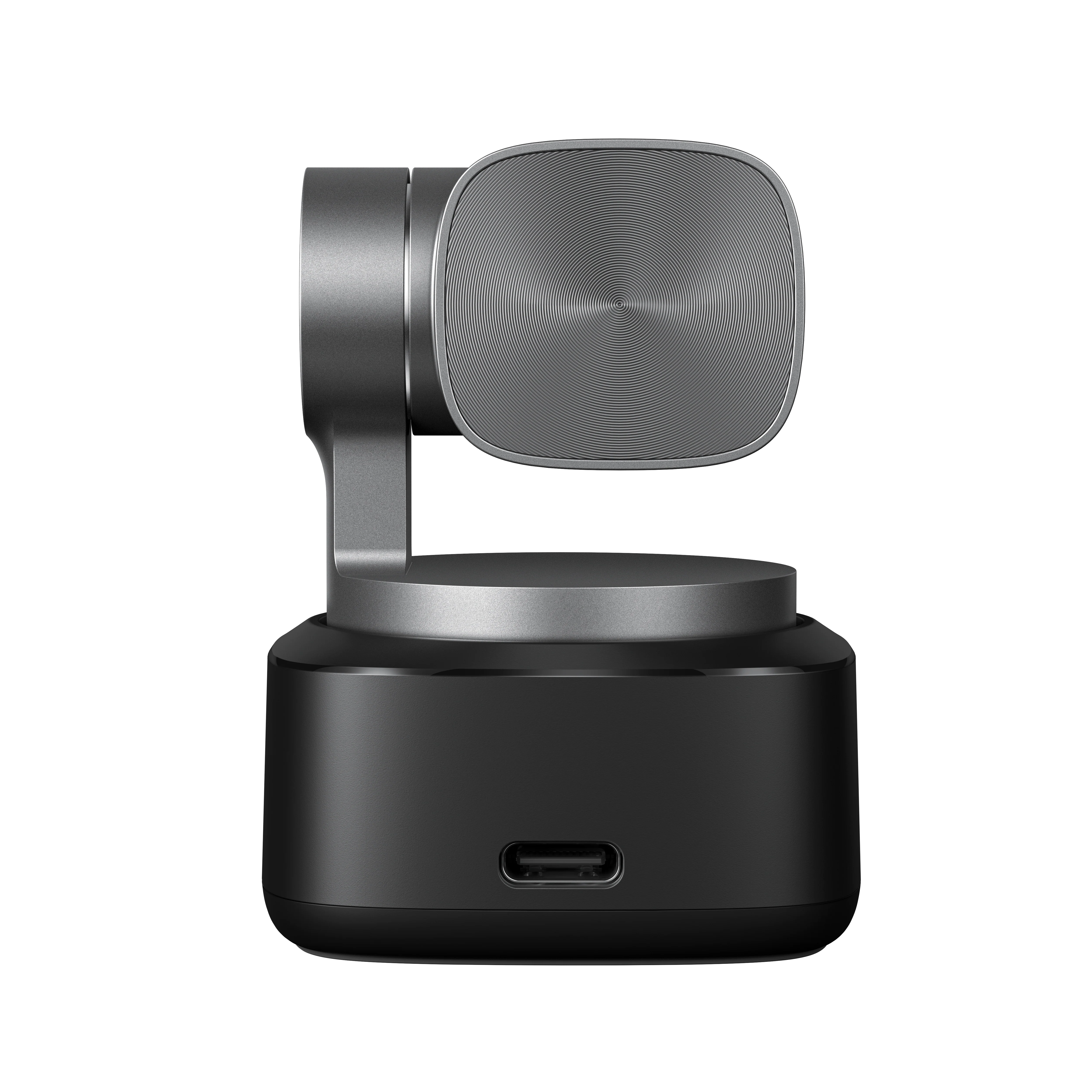
Obsbot - Tiny 2 4K PTZ Webcam
AI Auto-Tracking PTZ 4K Webcam
Discover a revolution in webcams! The Obsbot Tiny 2 is a market standout, offering extraordinary features for filming and streaming enthusiasts.
This versatile camera meets the needs of both professionals and hobbyists, delivering exceptional image and sound quality along with advanced tracking functions.
Let your creativity flourish with this amazing webcam!


AI Tracking with Auto-Zoom
Thanks to advanced AI technology, the camera not only tracks the user but also automatically adjusts the zoom to keep them perfectly framed.
Ultra-Fast Auto-Focus
All-Pixel Auto Focus Technology ensures sharp images even during fast-moving scenes and in challenging lighting conditions.


HDR Function
Look your best in any lighting — HDR preserves image details under all conditions. Dual Native ISO technology optimizes sensor sensitivity for both daytime and low-light environments.

Gesture Control
Tiny camera users are familiar with controlling the device through hand gestures. The Obsbot Tiny 2 introduces enhanced Gesture Control 2.0 for even more intuitive operation.

Voice Control
A new feature in Tiny 2 allows you to control the camera using simple voice commands.

Framing Options
You control how the camera frames the subject. Available modes include:
Close-up
Upper body
Lower body
Full body
Normal tracking
Headless
Additionally, lens movement speed can be adjusted to the scene using two modes:
Standard – for static scenes
Motion – for dynamic scenes
The camera can operate in horizontal, portrait, and upside-down orientations.
New AI-Powered Features


Pointer/Hand Tracking – The lens follows finger or hand movements, ideal for tracking writing on a board, drawing, or painting.
Desktop Mode – The camera looks downward, capturing the desktop surface, perfect for remote teaching and demonstrations.
Board Mode – Using a laser pointer (sold separately), you can indicate a board, monitor, or flipchart, and the camera automatically frames it.
Group Mode – Designed for conference meetings, the camera automatically adjusts framing to include all participants.
High-Quality Audio
Two built-in omnidirectional microphones complement the exceptional video quality with clear, noise-free sound.


Sleep Mode
Your comfort and privacy are fully protected. Sleep Mode allows you to turn off the camera manually via the app or remote, or set it to automatically enter sleep after a defined period of inactivity.
Obsbot WebCam App
The Obsbot WebCam app provides complete control over all camera settings and functions, including:
Background blur
Portrait mode
Beauty mode
Shortcut keys for toggling features
Programming positions for multiple cameras
Placeholder image during sleep mode
Manual and automatic image adjustments (focus, contrast, white balance, brightness, etc.)
Access to the latest firmware and software updates

Product Information
Product Information
Shipping & Returns
Shipping & Returns




Obsbot - Tiny 2 4K PTZ Webcam
Obsbot - Tiny 2 4K PTZ Webcam
AI Auto-Tracking PTZ 4K Webcam
Discover a revolution in webcams! The Obsbot Tiny 2 is a market standout, offering extraordinary features for filming and streaming enthusiasts.
This versatile camera meets the needs of both professionals and hobbyists, delivering exceptional image and sound quality along with advanced tracking functions.
Let your creativity flourish with this amazing webcam!
AI Tracking with Auto-Zoom
Thanks to advanced AI technology, the camera not only tracks the user but also automatically adjusts the zoom to keep them perfectly framed.
Ultra-Fast Auto-Focus
All-Pixel Auto Focus Technology ensures sharp images even during fast-moving scenes and in challenging lighting conditions.
HDR Function
Look your best in any lighting — HDR preserves image details under all conditions. Dual Native ISO technology optimizes sensor sensitivity for both daytime and low-light environments.
Gesture Control
Tiny camera users are familiar with controlling the device through hand gestures. The Obsbot Tiny 2 introduces enhanced Gesture Control 2.0 for even more intuitive operation.
Voice Control
A new feature in Tiny 2 allows you to control the camera using simple voice commands.
Framing Options
You control how the camera frames the subject. Available modes include:
Close-up
Upper body
Lower body
Full body
Normal tracking
Headless
Additionally, lens movement speed can be adjusted to the scene using two modes:
Standard – for static scenes
Motion – for dynamic scenes
The camera can operate in horizontal, portrait, and upside-down orientations.
New AI-Powered Features
Pointer/Hand Tracking – The lens follows finger or hand movements, ideal for tracking writing on a board, drawing, or painting.
Desktop Mode – The camera looks downward, capturing the desktop surface, perfect for remote teaching and demonstrations.
Board Mode – Using a laser pointer (sold separately), you can indicate a board, monitor, or flipchart, and the camera automatically frames it.
Group Mode – Designed for conference meetings, the camera automatically adjusts framing to include all participants.
High-Quality Audio
Two built-in omnidirectional microphones complement the exceptional video quality with clear, noise-free sound.
Sleep Mode
Your comfort and privacy are fully protected. Sleep Mode allows you to turn off the camera manually via the app or remote, or set it to automatically enter sleep after a defined period of inactivity.
Obsbot WebCam App
The Obsbot WebCam app provides complete control over all camera settings and functions, including:
Background blur
Portrait mode
Beauty mode
Shortcut keys for toggling features
Programming positions for multiple cameras
Placeholder image during sleep mode
Manual and automatic image adjustments (focus, contrast, white balance, brightness, etc.)
Access to the latest firmware and software updates
Original: $325.00
-70%$325.00
$97.50Product Information
Product Information
Shipping & Returns
Shipping & Returns
Description
AI Auto-Tracking PTZ 4K Webcam
Discover a revolution in webcams! The Obsbot Tiny 2 is a market standout, offering extraordinary features for filming and streaming enthusiasts.
This versatile camera meets the needs of both professionals and hobbyists, delivering exceptional image and sound quality along with advanced tracking functions.
Let your creativity flourish with this amazing webcam!
AI Tracking with Auto-Zoom
Thanks to advanced AI technology, the camera not only tracks the user but also automatically adjusts the zoom to keep them perfectly framed.
Ultra-Fast Auto-Focus
All-Pixel Auto Focus Technology ensures sharp images even during fast-moving scenes and in challenging lighting conditions.
HDR Function
Look your best in any lighting — HDR preserves image details under all conditions. Dual Native ISO technology optimizes sensor sensitivity for both daytime and low-light environments.
Gesture Control
Tiny camera users are familiar with controlling the device through hand gestures. The Obsbot Tiny 2 introduces enhanced Gesture Control 2.0 for even more intuitive operation.
Voice Control
A new feature in Tiny 2 allows you to control the camera using simple voice commands.
Framing Options
You control how the camera frames the subject. Available modes include:
Close-up
Upper body
Lower body
Full body
Normal tracking
Headless
Additionally, lens movement speed can be adjusted to the scene using two modes:
Standard – for static scenes
Motion – for dynamic scenes
The camera can operate in horizontal, portrait, and upside-down orientations.
New AI-Powered Features
Pointer/Hand Tracking – The lens follows finger or hand movements, ideal for tracking writing on a board, drawing, or painting.
Desktop Mode – The camera looks downward, capturing the desktop surface, perfect for remote teaching and demonstrations.
Board Mode – Using a laser pointer (sold separately), you can indicate a board, monitor, or flipchart, and the camera automatically frames it.
Group Mode – Designed for conference meetings, the camera automatically adjusts framing to include all participants.
High-Quality Audio
Two built-in omnidirectional microphones complement the exceptional video quality with clear, noise-free sound.
Sleep Mode
Your comfort and privacy are fully protected. Sleep Mode allows you to turn off the camera manually via the app or remote, or set it to automatically enter sleep after a defined period of inactivity.
Obsbot WebCam App
The Obsbot WebCam app provides complete control over all camera settings and functions, including:
Background blur
Portrait mode
Beauty mode
Shortcut keys for toggling features
Programming positions for multiple cameras
Placeholder image during sleep mode
Manual and automatic image adjustments (focus, contrast, white balance, brightness, etc.)
Access to the latest firmware and software updates